.avif)


Turn every event into pipeline you can prove
From conversation to CRM in seconds. One AI workflow that enriches every lead and captures every conversation, so your team follows up faster and turns more events into revenue.


Loved by 4M professionals and
users at 93% of the Fortune 500










Stop leaving leads on the show floor
Teams spend tens of thousands to get on the show floor,
but most leave without pipeline they can prove.
Your current solution
Pricey rentals that force you to build new workflows for every show.
Leads take days to hit your CRM, after the interest has gone cold.
30-40% of leads lost to paper pile-up before they ever hit the CRM.
Missing context, so your follow-ups go out generic and unanswered.
No proof of ROI means no case for next year's event budget.
Lead Capture
One workflow for every event, so you train your team once and ditch the badge scanners.
Leads are automatically enriched, tagged, routed, and ready to work.
Qualified leads hit your CRM in seconds, so your team follows up while the conversation is warm.
Full context on every lead with AI notes and qualifiers, so you send personalized follow-ups that land.
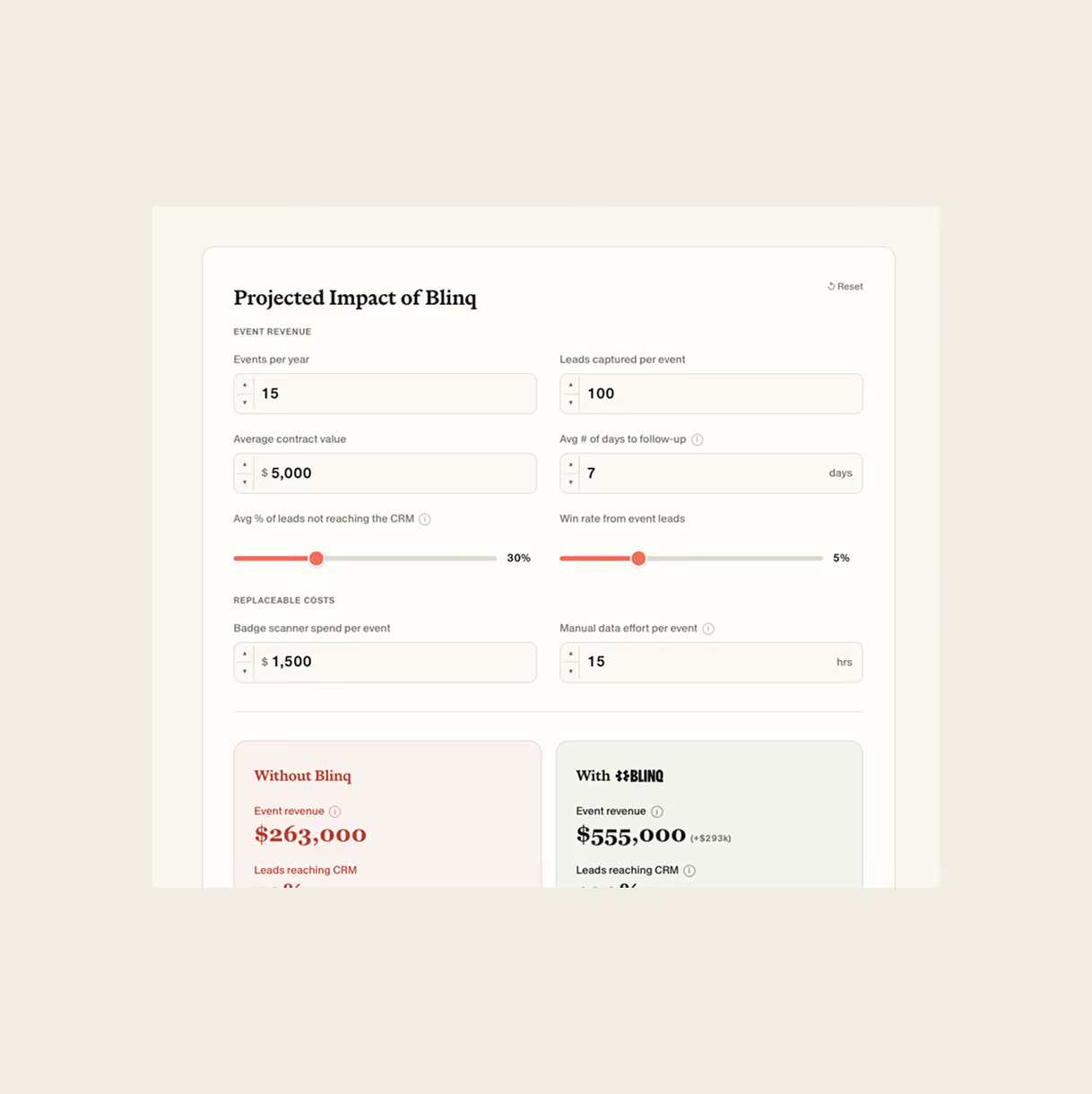
Know exactly what drives pipeline, with every lead auto-tagged to the event it came from.
What teams get back with Blinq
100%
of captured leads synced to CRM
35%
more replies on follow-ups
5 sec
from scan to CRM
1.5x
more actionable leads
8+
hours of admin saved per event
How Blinq works
One lead capture app for every event on your calendar.
One scanner for every event
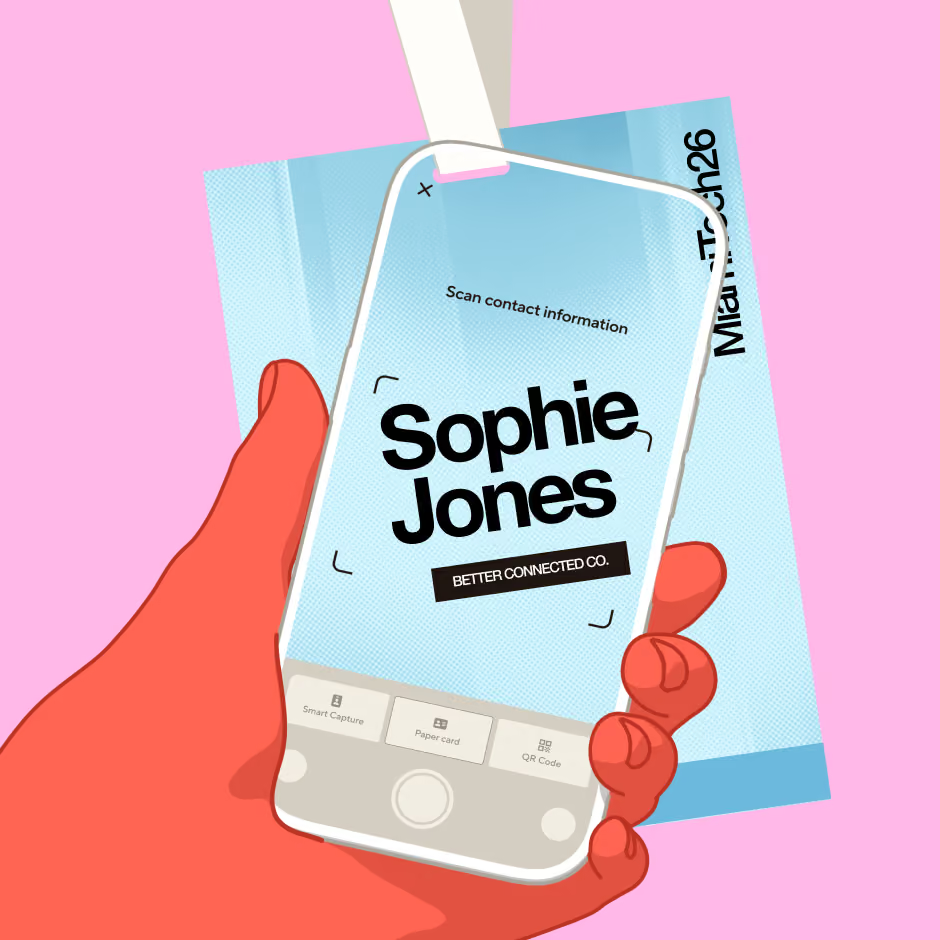
Scan any badge, business card or QR code to capture a lead. No organizer integration needed.
Capture leads with Universal Scanner, custom lead forms, or digital business card shareback
Works offline and syncs the moment you're back online
Instantly surface deal context from your CRM when you scan an existing lead
All the data you need to follow up every lead
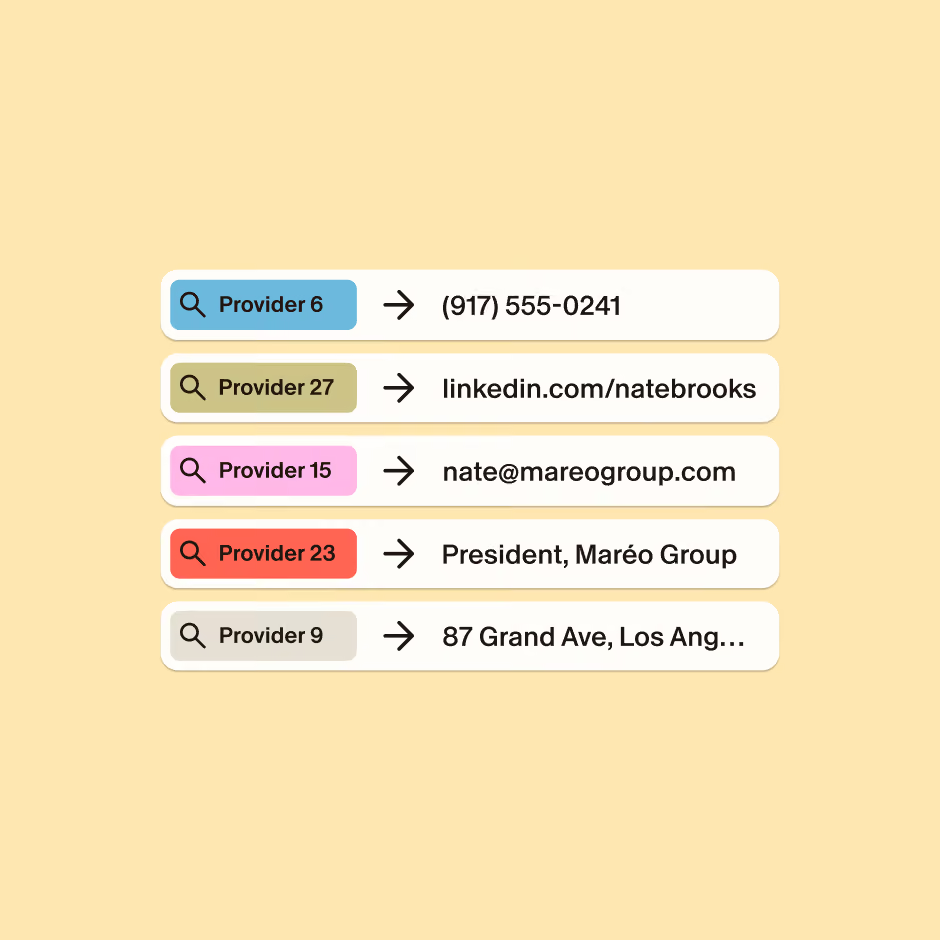
Blinq’s lead enrichment fills in the verified contact and company details missing from badge scans. With at least 20 percentage points more coverage than standard waterfalls, that’s 200+ more workable leads per 1,000 scans.
90%+ coverage, compared to the standard 65-70%
25+ live data providers, with AI search filling any gaps
Your data is never used to train AI or shared across companies
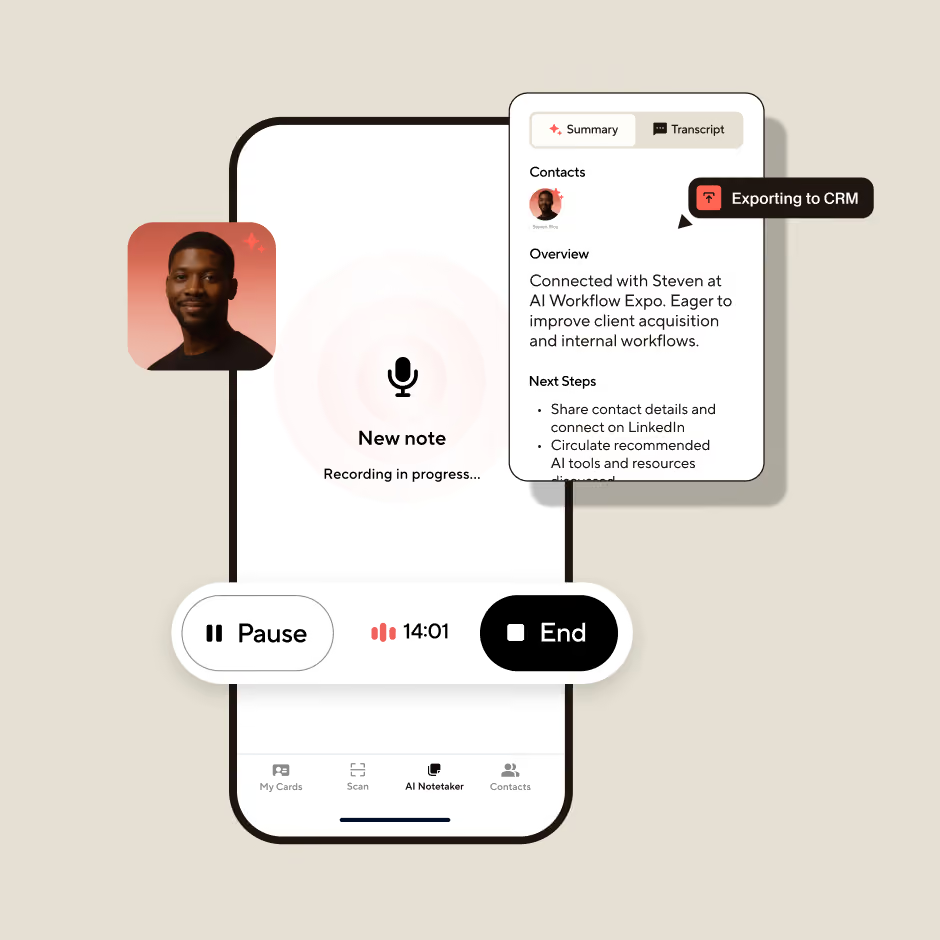
Personalized follow-ups from every conversation
The first conversation can make or break a deal, but it’s also the first thing forgotten. AI Notetaker transcribes and summarizes the details, and attaches them to the CRM contact. Your team sends timely, personalized follow-ups that get 35% more replies.
Qualify leads on the spot with tags and custom fields
Capture notes from your phone, Bluetooth mic, or smartwatch
Built-in reminders prompt reps to ask permission to record every time
Syncs natively to the tools you already use
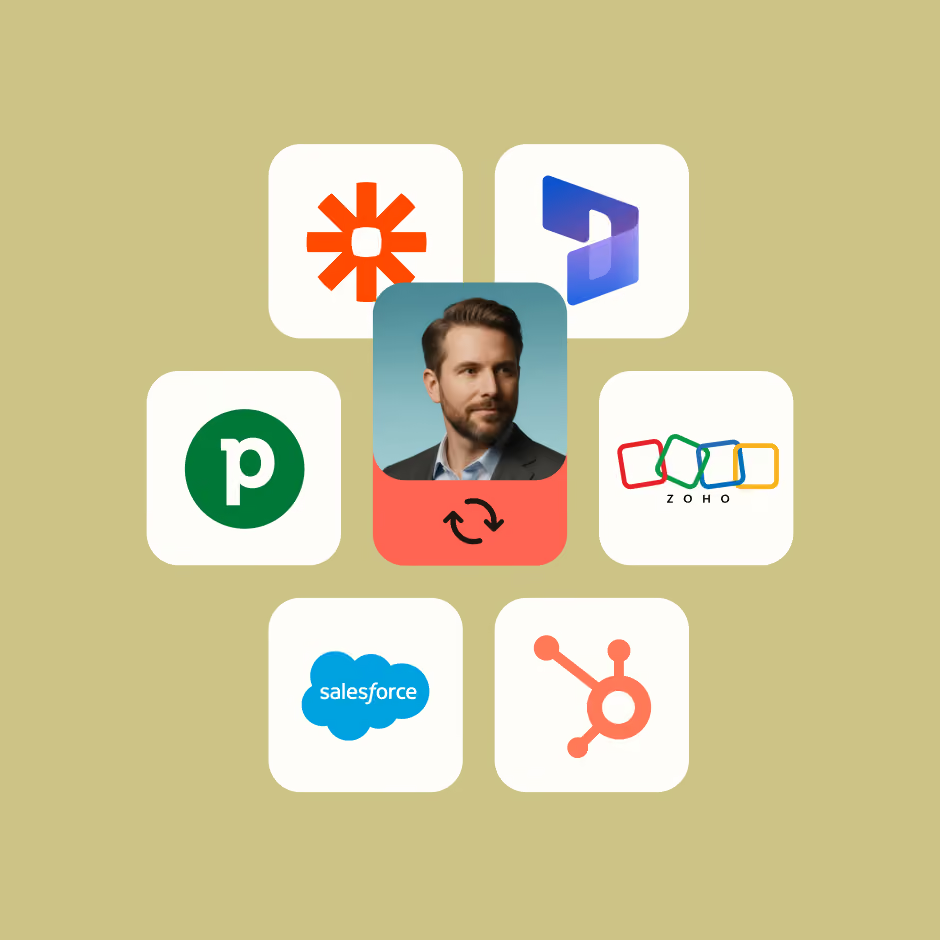
Every lead flows into your CRM in real time: enriched, tagged to its campaign, and updated with rep notes and qualifiers. Existing contacts are updated, not overwritten.
Native integrations with every major CRM
Push to multiple platforms at once, with custom and hidden field mapping
Build fully custom workflows via MCP
Know exactly what your events are worth
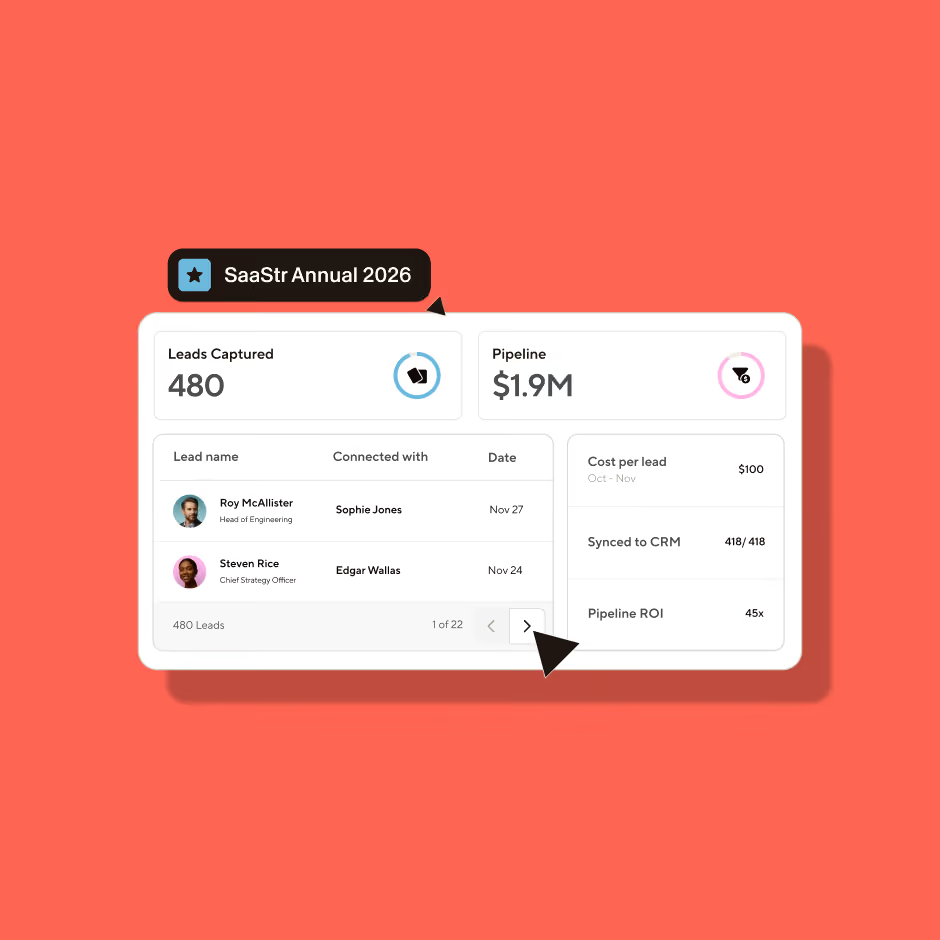
Track each event as a campaign with goals, dates, budget, lead value and assigned reps. Leads captured during the event are auto-tagged and synced to your CRM campaign.
Measure cost per lead and pipeline impact to prove event ROI
Run multiple campaigns at once, each with its own assigned reps and targets
Evaluate rep performance and pinpoint what actually drives pipeline
Ask AI about any lead, conversation, or event
Connect Blinq once and ask your AI tool about anything from the floor. Admins can see every rep’s leads, so post-show debriefs go from weeks to minutes.
Generate custom reports and insights on any event or rep performance
Draft follow-ups that pick up where the booth conversation left off
Works with Claude, ChatGPT, and Copilot (Grok coming soon)
Pricing that fits your event calendar
Event packages
Turn your events motion into a predictable, measurable pipeline channel.
Discounted lead pricing
Dedicated CSM and guided onboarding
Unlimited lead packages available
Custom pricing
Pay as you go
Everything you need to capture leads in person with full flexibility.
Immediate platform access
Unlimited event campaigns
Monthly consumption billing
$9.99 / lead captured
Available with a Blinq Business subscription
Included in both options
Universal scanner
Native CRM integrations
Event campaigns and reporting
Digital business cards
Contact enrichment
AI conversation notes
Custom lead qualifiers
Live CRM context
Blinq MCP
See it in action
Watch a badge scan turn into an enriched, tagged lead in your CRM in seconds. This is the same flow your team will run on the trade show floor.
Don’t take our word for it
See why event marketers, sales teams, and revenue leaders trust Blinq.

I've used it for two years! Everyone who I introduce Blinq to - at any live event - is thoroughly impressed and immediately downloads the app.
Martha C.

I love this app so much. Every time I meet someone at an event, and I give them my Blinq card, they end up downloading it immediately too.
Bat-Sheva

So convenient! Not only for my business; recently I was in an accident and I was able to share my contact when I needed the most! Great tool! 10 stars
Liz Realtor Florida

I just share one QR code or link and everything is there... my phone number, email and other details in one place. It makes things easier and saves time, especially when meeting new patients.
Ishan S.

Seamless integration and reliable performance. It has never failed me when it counts, and the offline mode is a total lifesaver for sharing your card when service is spotty.
John J.
I absolutely LOVE that I can make myself accessible via all of the channels that are connected to me with just a share! It's an amazing tool!
Leigha
The CRM/contact sync is seamless, which makes networking efficient and eliminates manual follow-ups.
Nabin P.
I've used it for two years! Everyone who I introduce Blinq to - at any live event - is thoroughly impressed and immediately downloads the app.
Martha C.
I love this app so much. Every time I meet someone at an event, and I give them my Blinq card, they end up downloading it immediately too.
Bat-Sheva
So convenient! Not only for my business; recently I was in an accident and I was able to share my contact when I needed the most! Great tool! 10 stars
Liz Realtor Florida
I just share one QR code or link and everything is there... my phone number, email and other details in one place. It makes things easier and saves time, especially when meeting new patients.
Ishan S.
Seamless integration and reliable performance. It has never failed me when it counts, and the offline mode is a total lifesaver for sharing your card when service is spotty.
John J.
I absolutely LOVE that I can make myself accessible via all of the channels that are connected to me with just a share! It's an amazing tool!
Leigha
The CRM/contact sync is seamless, which makes networking efficient and eliminates manual follow-ups.
Nabin P.
Built for teams that mean business at events
You’re a fit if you:
Attend 3+ events a year to capture leads
Have outgrown renting scanners and manually uploading cold leads to your CRM days later
Need to prove event ROI to win next year’s budget

Organizing an event? Make it the one that starts deals
Partner with Blinq to offer lead capture across your event. Exhibitors and attendees get one easy way to capture and follow up every conversation, and you get a show that pays exhibitors back.
Ranked #1 in the G2 Grid for Event Lead Capture
Blinq sits at the top of the Leader quadrant for lead retrieval, with the highest satisfaction scores in the category. Rated by 8,800+ teams that rely on Blinq at every show.
Frequently asked
questions
How quickly can our team be ready for an event?
Blinq can be set up the same day. Your reps download the Blinq app, join your team workspace, and start scanning. There's no hardware to rent, and an admin can connect your CRM and create a campaign in just minutes. So, even a show that starts tomorrow is possible.
Does the scanner work across every badge?
Yes. If you can take a picture of it, Blinq can read it. It works across all event badge types, QR codes, paper business cards and more, without relying on event-specific scanning apps.
Does Blinq replace event-provided badge scanners?
Yes. Blinq works at every event, so there's nothing to rent and one consistent workflow across your whole calendar. Where the organizer grants badge API access, we plug straight in.
Does Blinq work offline?
Yes. Your team can keep scanning, tagging and taking notes without a connection. Every lead enriches and syncs the moment you're back online. Built for convention centre dead zones, not just perfect WiFi.
Can we capture leads at an unmanned booth?
Yes. You can use the QR code from your custom form in Lead Capture mode and have visitors share their details and fill out qualifiers straight into your CRM.
Can we manually create leads and have them enriched?
Yes. You can manually create a lead in the Blinq app and it will enrich based on the fields provided. In most cases, we just need the first name, last name and company name.
Can we get the attendee's registration data directly from the badge?
Yes, in cases where the organizer grants badge API access, Blinq plugs in and pulls the official attendee registration record to provide 100% complete data. Blinq connects with most APIs and you can request one if the connection isn’t already available. In cases where this is not available, Blinq's AI enrichment pulls verified email, phone, LinkedIn and company details from 25+ external data providers rather than the event's registration system, which for the majority of post-event follow-up is everything you need.
What devices does Blinq work on?
Blinq works on all iPhone and Android devices your team already carries. There's no scanner hardware to buy or rent, and the Blinq app is rated 4.9 stars across 200,000+ reviews.
What does AI enrichment add?
Everything you need for lead routing and immediate follow-up: verified email address, phone, company firmographics and address data, and LinkedIn profile.
How accurate is the AI enrichment?
Blinq’s AI enrichment is 95%+ accurate. This is enabled by a waterfall of 25+ trusted external data providers, using the most accurate providers for each data point. Blinq fills a field only when it finds high-confidence data, then AI verifies, deduplicates and selects the best value. Every field stays editable, so you can review and adjust at any time.
Does AI enrichment overwrite our existing data?
No. Blinq adds to a record and never overwrites what's already in your CRM.
How is Blinq's AI enrichment different to regular data waterfall solutions?
Unlike standard data waterfalls which are linear, Blinq has developed a proprietary enrichment algorithm that combines 25+ trusted external data partners with AI that completes additional searches and data matching. This boosts data coverage up to 95%, which is well above standard waterfalls, which typically return 65-70%.
What CRMs does Blinq support?
Blinq has native integrations with HubSpot, Salesforce, Microsoft Dynamics, GoHighLevel, Zoho, Monday.com and Marketo, including their campaign objects, and thousands more available through Blinq’s MCP and Zapier.
Will this create duplicate contacts in my CRM?
No. Blinq matches on email, so an existing contact is updated with the new notes, tags and event context rather than duplicated. Re-scans of the same badge are recognized and counted once.
Can we control which leads sync to our CRM?
Yes. Auto-sync is on by default so leads flow in real time. If your team prefers to, you are able to manually review and approve which leads from each campaign get pushed through to your CRM.
Can we set custom qualifiers and tags?
Yes. For each campaign, admins preset the questions and tags that matter to your team, whether that's hot/warm/cold or something more specific, it’s fully customizable to your needs. Reps apply these tags and qualifiers at the point of capture and they sync to your CRM as structured fields, ready for routing and follow-up.
Can we run more than one event at a time?
Yes. Run multiple events as separate campaigns at once, each with its own team, targets and capture forms.
What is event lead capture?
Event lead capture - also called exhibitor lead capture or trade show lead capture - is the process of collecting, qualifying, and managing leads at in-person events like conferences and exhibitions. It replaces older methods like badge scanners with a universal lead capture app, instant data enrichment, and CRM sync.
What is lead retrieval?
Lead retrieval is the process exhibitors use to capture attendee contact information at trade shows and conferences. Traditionally, this meant renting a badge scanner from the event organizer, exporting a CSV at the end of the show, and manually loading it into your CRM. Modern lead retrieval apps like Blinq let teams scan any badge, enrich contacts with verified data, and sync leads to their CRM in real time - at any event, without renting hardware.
What makes the best trade show lead capture app?
It typically comes down to four things. (1) Universal capture: badges, paper cards and QR codes, with the ability to work both online and offline. (2) High-quality data enrichment, so a scan becomes a complete lead. (3) Real-time native CRM integrations for seamless data syncing. (4) A way to retain the conversation, not just the contact. Blinq was built around all four, which is why it's the G2 Leader and Easiest to Use in Lead Retrieval.
What security and compliance does Blinq have?
Blinq is SOC 2 Type II certified and GDPR compliant, with SSO support. See our Trust Center, Privacy Policy and Terms for detail.
How does pricing work for Event Lead Capture?
Event Lead Capture is usage-based, meaning you only pay for the leads you capture. For teams attending 4 or more events per year, book a demo with our team for a custom lead package at discounted rates, with unlimited lead packages also available. For teams attending 1-3 events per year, pay-as-you-go pricing is available within the Blinq Business plan, with pricing at $9.99 per in-person lead captured.
Can we start with a single event?
Yes, pay-as-you-go pricing for lead capture is available within the Blinq Business plan if you would like to see how Blinq’s functionality works for your team before purchasing a discounted bulk lead package through our sales team. In this case you would pay a per-seat price per user for access to Blinq Business, and capture leads at a rate of $9.99/lead.
How does billing work for duplicate scans?
Credits are not consumed for duplicate captures of the same contact, so no charge will be incurred.
What happens if Blinq is unable to enrich a lead?
If Blinq is unable to find a verified email or phone for a lead that is captured, only a partial credit will be consumed. For full details, see our help centre.
What support do we get during an event?
Blinq’s support team operates seven days a week across all US time zones. For businesses purchasing through our sales team, a dedicated CSM and priority support are also provided.
Never let a
lead go cold
Book a demo and we'll show you a badge scan turn into a CRM-ready contact, Notetaker and all.