


.avif)

You've just scanned a badge at a trade show booth. The attendee walks away. What happens to that contact - and when - determines whether a promising conversation turns into a deal or disappears into a spreadsheet.
Lead retrieval is the process of capturing attendee contact data at events - and the method you use shapes everything that follows: the speed of your follow-up, the quality of your data, and the ROI you can show from attending.
85% of exhibitors attend trade shows primarily to generate leads and sales opportunities (source: Trade Show Labs). That makes lead retrieval one of the most business-critical activities at any B2B event.
I've attended multiple events and used Blinq's lead capture technology firsthand at trade shows. This guide covers the full picture: What lead retrieval is, how it works, how it differs from lead capture, and what to look for in a modern tool.
Key Takeaways (TL;DR)
- Lead retrieval is pulling the data registered with events - generally, this involves using their specific badge scanners, which release the data days after the event
- Lead capture is more comprehensive and involves owning the data you collect, usually with a lead capture app like Blinq, which includes enrichment, instant access and immediate follow-ups
- Lead retrieval works by scanning someone’s event badge to collect their contact data, which is shared with you during or after the event
- Event-provided badge scanners and mobile apps are the two main lead retrieval devices
- Lead retrieval apps provide more features for modern lead capture than badge scanners, including conversation context, instant CRM syncing, data enrichment and universal scanning
- Lead enrichment means enhancing any basic contact data you retrieve from event badges or other IDs with specific qualifiable data
- The best lead retrieval apps offer intuitive features like conversation notes, AI data enrichment, mobile scanning, instant follow-ups and event ROI reporting and analysis
What is lead retrieval?
Lead retrieval is the process of collecting attendees’ contact details at trade shows, conferences and other industry events. In the past, lead retrieval involved manually writing down someone’s details (e.g. name, email and phone number) or inputting them into a spreadsheet.
These days, lead retrieval is done by using a badge scanner to retrieve attendee data from event badges. You can also use mobile-first apps for lead retrieval. These also specialize in lead capture, which is slightly different (more on that below).
How does lead retrieval work?
Traditional lead capture works by using a badge scanner to retrieve event-stored data for an attendee. This data is typically basic contact information. You can only access the data of attendee badges you scan during the event (i.e. those who visit your booth). It’s also only available after the event, usually within a few days but sometimes longer than one week.
Here’s a typical step-by-step lead retrieval process:
Step 1: Attendee shares their data with the event when registering
This might include their name, company, email and job title. The information is stored on the event’s database and encoded into their badge for scanning.
Step 2: You scan their badge
Exhibitors can scan event badges with event-provided scanners or mobile apps, such as Blinq. You just need a device or app that can scan QR codes, barcodes, NFC chips or other sharing methods.
Step 3: Their contact data is shared
Once you scan the event badge, whatever information the attendee has submitted to the event is shared with you. If you’re using a badge scanner, this information typically goes onto a lead list to be released after the event. If you’re using a lead capture app, this information should be immediately captured and synced to your CRM.
Step 4: The event organizer shares your lead list
With a badge scanner, you often have to wait days or over a week after the event for the organizer to share your lead list. This list should contain the contact data for all the badges you scanned during the event.
Step 5: You sync the lead list to your CRM
After you have the lead list, you can sync it to your CRM, either manually or automatically using a third-party tool. You can avoid this extra step and the one above it by using lead capture technology with instant, automatic CRM syncing.
What is a lead retrieval device?
A lead retrieval device is the tool you use to retrieve attendee data from badges. The two most prominent devices used for lead retrieval by exhibitors are:
- Dedicated event-provided badge scanners
- Mobile-first lead retrieval apps
Badge scanners vs lead retrieval apps
Below is a table summarizing the key differences between traditional badge scanners and mobile apps when it comes to lead retrieval. These are the big ones I’ve encountered from my time attending trade shows before apps were even available. I’ve seen some big changes to lead retrieval efforts since apps started being more commonplace. If you want to delve deeper into how these two devices compare, you can read my article on the evolution of event lead capture apps.
| Feature | Badge Scanners | Lead Retrieval Apps |
|---|---|---|
| Hardware | Dedicated rented scanner | Any smartphone or tablet |
| Setup | Onsite pickup, charging, syncing, and device management | Fast app download and onboarding |
| Cost | Upwards of $800 per event | Scalable subscription starting around $5 per month for scanning credits |
| Ease of Use | Slower for teams due to limited hardware | Much faster with multiple users |
| User Experience | Limited UI that's still functional | Easy UI with modern interface and automated workflows |
| Lead Capture Speed | Fast badge scanning but slow and clunky CRM syncing | Fast scanning and automated CRM syncing for instant follow-ups |
| Data Captured | Attendee registration data | Registration data plus custom qualifiers, conversation notes, priority tagging, and enriched data fields |
| Offline Functionality | Commonly supported | Offline scanning with online CRM syncing |
| CRM Integrations | Sometimes automatic, sometimes manual and slow. | Native integrations with major CRMs like Salesforce and HubSpot |
| Real-Time Sync | Often delayed days or over one week after event | Instant syncing if online |
| Lead Qualification | Not typically available | Advanced qualification, scoring and tagging with AI-powered data enrichment for missing fields |
| Team Collaboration | Limited visibility between staff and events | Shared dashboards and live team visibility across multiple events |
| Analytics & Reporting | Limited to no post-event reports | Real-time analytics, dashboards and ROI tracking, including event- and exhibitor-specific data |
| Follow-Up Automation | Manual email exports | Automated follow-up suggestions and workflows |
| Multi-Event Scalability | Requires additional hardware for each event | Easily scalable across multiple events and teams (only smartphones required) |
| Customization | Restricted by events | Customizable qualifier forms and workflows |
| Data Ownership | Often controlled by event organizers | Direct ownership of data |
| Security & Compliance | Varies by vendor | Most have enterprise security (e.g. SSO and SOC 2) and GDPR compliance |
| Battery / Device Risk | Outdated hardware can be inconsistent and require replacing during the event | Just need to keep phone batteries charged |
| Sustainability | Requires physical hardware manufacturing, which can be less sustainable | More sustainable as it relies on pre-existing mobile phones |
| Best For | Simple lead collection at larger trade shows with minimal workflows | Modern B2B events and trade shows when focusing on detailed lead qualification, instant follow-ups and personalized messaging |
What’s the difference between lead retrieval and lead capture?
You may have now noticed that I’ve mentioned both lead retrieval and lead capture. You’ve also probably seen from the table above that badge scanners and mobile apps have very different capabilities when it comes to lead retrieval. That’s because badge scanners are really only good for basic lead retrieval. Mobile apps, on the other hand, specialize in more advanced lead capture.
So what’s the difference?
The big difference between lead retrieval and lead capture is that the former limits you to the event’s data and retrieval process, which can be time consuming, expensive and incomplete. Lead capture, meanwhile, gives you far more autonomy and ownership over your data and process.
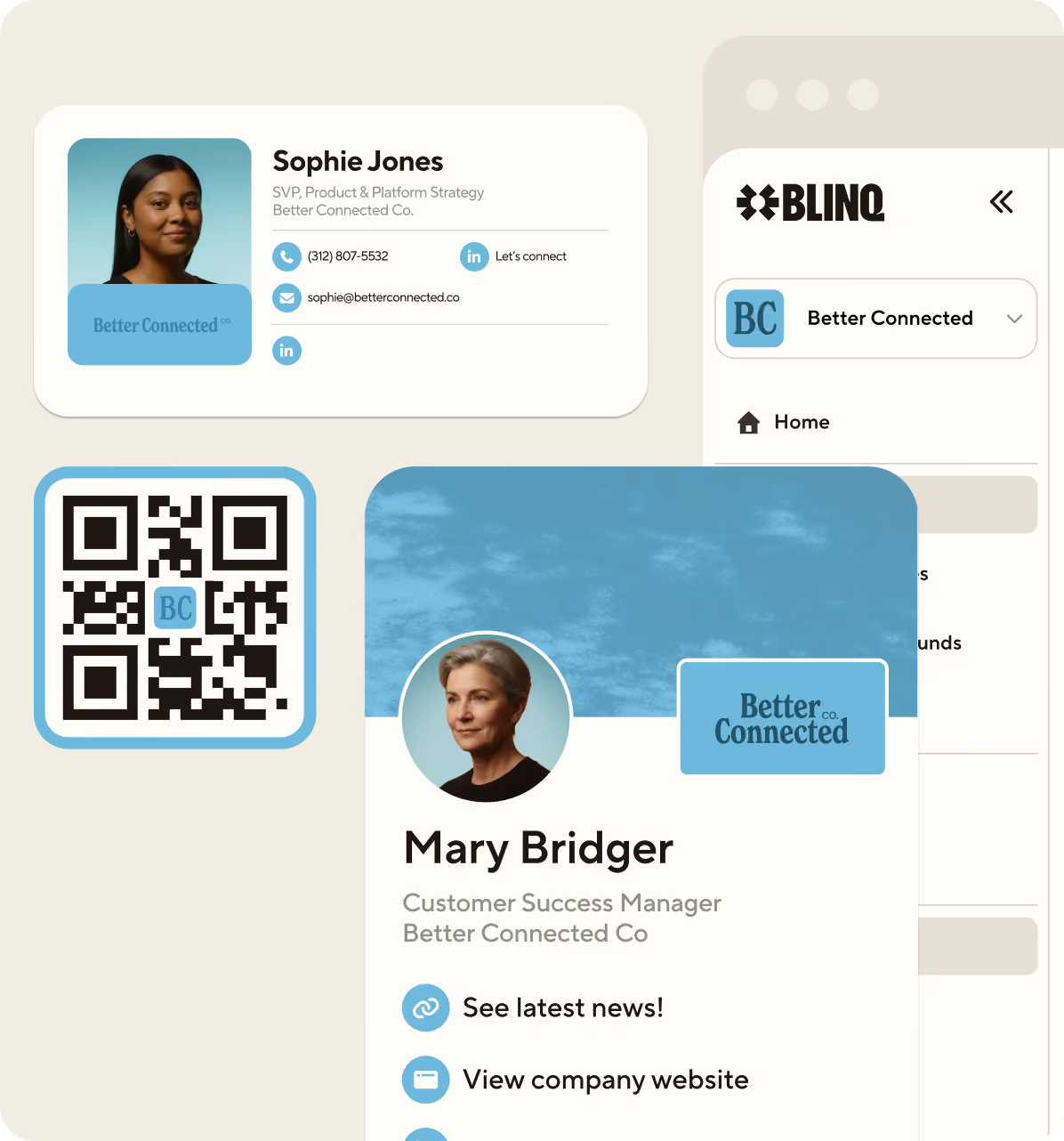
With modern lead capture apps, you can scan a range of IDs, fill out customized qualification forms and upload the leads to your CRM within seconds. All of this goes a long way to ensuring more event marketing success.
What is lead capture?
Lead capture is what you do when you don’t rely on an event-provided scanner to capture attendee information. You could go back to paper forms and manual data entry, scan IDs using event-specific apps or use a dedicated event lead capture platform.
The third one is the ideal option as it provides the most autonomous and enriched data capture possible. It also helps you follow up leads within minutes instead of days through native CRM integrations and real-time syncing.
Lead retrieval vs lead capture
Here’s a quick breakdown of the main differences I’ve encountered in the past when performing both lead retrieval and lead capture. While the latter is great for building up contact databases quickly, it can fall short when you need detailed, qualifiable leads ready for immediate sales outreach.
| Feature | Lead Retrieval | Lead Capture |
|---|---|---|
| Primary Purpose | Collect attendee information from event | Collect and qualify leads from multiple sources and interactions |
| Typical Use Case | Trade shows, expos and conferences with official attendee badges | B2B events and trade shows, networking events and conferences with an emphasis on leads |
| Data Collection | Badge scans using event-provided hardware | Forms, QR codes, business cards, NFC taps, badge scans, surveys, meeting notes, kiosks, landing pages and more |
| Dependency on Event Organizer | Usually dependent on the organizer's registration system | Operates independent of the organizer |
| Data Availability | Basic attendee registration data | Rich first-party data including intent, qualification, priority scoring and conversation context |
| Custom Qualification | Limited or unavailable | Customizable qualification forms |
| Lead Enrichment | Limited or unavailable | AI-powered lead data enrichment, including filling in missing qualifier fields |
| CRM Integration | Sometimes available or sometimes requires CSV exports | Native CRM integrations with major platforms such as HubSpot and Salesforce |
| Real-Time Sync | Usually not provided but can vary | Real-time syncing to generate fast follow-ups |
| Sales Follow-Up | Usually manual after the event | Often automated and performed within minutes of interaction with attendee |
| Marketing Automation | Limited | Frequently integrated with email marketing and meeting scheduling |
| Data Ownership | Usually controlled by event organizers | Usually controlled and owned by the company capturing leads |
| Lead Quality | Focused on quantity of scans | Focused on both quantity and qualification quality (sometimes more the latter than the former) |
| Hardware Requirements | Often dedicated scanners or organizer-approved apps | Usually mobile-first apps on existing devices |
| Best For | Quickly collecting attendee data from official event badges | Building a broader lead generation and qualification workflow |
What is lead enrichment?
Lead enrichment is essentially enhancing any basic contact data you retrieve from event badges or other IDs with specific qualifiable data. This is an important element of lead capture and could include enriching contacts with information like job title, company size, phone number, industry, location, social media links and recent company revenue.
Lead enrichment could also include automated lead scoring for easier prioritization of follow-ups. For example, based on pre-determined qualifiers, your leads could be given a cold, warm and hot rating. Hot leads will be prioritized first, then warm and so on.
Event lead capture apps have different ways of enriching leads, so I won’t cover all the methods out there. Instead I’ll focus on Blinq’s AI-powered data enrichment waterfall, which I’m very familiar with.
How lead enrichment works with Blinq
Here’s how Blinq’s data enrichment waterfall works when capturing and qualifying leads at events. Keep in mind the following steps all happen in a matter of seconds.
Step 1: Lead capture
You capture a lead by scanning someone’s event badge or other ID (e.g. digital business card, NFC card, email signature etc.). The app fills in the qualifier form with the data immediately available through the scan. Any missing fields are left blank for now.
Step 2: Lead matching
Blinq’s AI matches the lead you’ve captured to resources on that individual online. It does this by using the data it’s already captured, such as their name, email and company.
Step 3: AI data enrichment waterfall
Once the lead is matched to verifiable sources online, Blinq’s AI uses those sources to fill in any missing qualifying data. The AI prioritizes the most reliable sources first, then moves onto the next best if the data is still missing, then the next and so on. Hence the ‘waterfall’ element. If the information cannot be find using a verifiable source, the field will remain blank.
Step 4: CRM sync
All the captured and enriched data is now synced automatically to your CRM. This also includes tagging and scoring if you’ve already set it up in the app.
3 main benefits of lead enrichment
- More personalized outreach – Your sales and marketing teams can make their follow-ups more personalized by focusing on specific industry pain points, mentioning a company’s location or even prioritizing a phone call over a generic email.
- More accurate and automated lead scoring – Leads are better prioritized through clearer scoring that benefits from more accurate data. This data can help you correctly model high-value leads.
Saving time and resource – With automated lead enrichment, you can save hours of manual labor spent researching contacts captured during events. A lot of this time is eventually wasted as leads can go cold fast - research shows leads contacted within an hour are more than 60 times as likely to qualify as potential customers compared to those left 24 hours or more (source: Venture Harbor).
What is conversation context for lead retrieval?
Conversation context refers to the qualitative details captured from the conversations you have with attendees at events. This is only valuable if you’re also collecting their contact details as part of your lead retrieval efforts. It allows you to make your follow-ups more personalized, picking up conversations where you left off.
When I originally started doing lead retrieval at events back in 2010, I would jot down the main talking points I encountered during my conversations with people. I’d do this in a notebook or on my phone or laptop after we’d finished talking. It was rushed and messy and often littered with mistakes. It also took me hours to sift through these notes and attached them to attendees after the event.
These days, lead retrieval apps make it a lot easier to capture conversation context without all that manual work. Blinq, for example, has AI Notetaker. This proprietary tool provides detailed AI-generated summaries of conversations you have with attendees. It gives you immediate talking points to draw upon when writing follow-up emails or making phone calls to prospective clients.
Why is this important? Well, personalizing your follow-up emails can increase response rates by up to 18% (source: Martal Group). That may not seem like a high number, but that’s 18 more responses for every 100 follow-up emails you send. One or two of those responses could lead to thousands more dollars in sales revenue.
Important lead retrieval dos and don’ts
Effective lead retrieval isn’t an exact science; there are numerous ways to capture leads depending on your approach. However, there are some universal dos and don'ts that all event marketers should apply.
Do qualify leads during conversations to improve follow-ups.
Don’t scan everyone you meet without any context.
Do use custom lead tagging and scoring for prioritization.
Don’t just rely on data you retrieve from event badges.
Do invest in instant CRM syncing with a lead capture app.
Don’t make attendees fill out overly long forms at your booth.
Do use standardized qualification questions.
Don’t pressure attendees into making sales on the day.
Do have backup charging or hardware for your app or scanner.
Don’t give all the leads you capture the same priority.
Do prioritize quality leads over quantity to increase your overall ROI.
Don’t use a spreadsheet to store your leads and manually upload to your CRM.
Do train your booth staff to not just focus on capturing leads but also qualifying them.
Don’t rely on a single device or scanner for your lead retrieval tech.
Do follow up within minutes or at longest, a couple of hours.
Don’t wait days or weeks to follow up.
Do review any available data from events to determine ROI and value.
Don’t dismiss lead retrieval from your sales pipeline and neglect post-event reporting.
Do use AI integrations to automate workflows and enrich data.
Don’t see lead retrieval as just scanning badges.
Do use AI to provide automated conversation summaries for faster and more personalized follow-ups.
Don’t ignore data privacy and any requirements you need to follow.
How to choose a quality lead retrieval app
Below is a list of the features and capabilities you should look for in your lead retrieval app. I want to also show how this compares to traditional badge scanners. This gives you a better idea of the limitations event marketers often encounter with this lead retrieval device.
| Feature | Blinq | Badge Scanner |
|---|---|---|
| Scans any badge, business card, or text (OCR) | ✓ | ✗ |
| Works across any event | ✓ | ✗ |
| Capture leads outside the booth (hallways, networking, etc.) | ✓ | ✗ |
| AI-powered conversation notes | ✓ | ✗ |
| Voice memos with transcription | ✓ | ✗ |
| AI-generated follow-up emails | ✓ | ✗ |
| Instant follow-ups | ✓ | ✗ |
| Real-time CRM integration and syncing | ✓ | ✗ |
| Offline lead capture | ✓ | ✓ |
| Lead qualification (custom questions, scoring etc.) | ✓ | ✓ |
| AI data enrichment | ✓ | ✗ |
| Event analytics and insights | ✓ | ✗ |
| Automated workflows | ✓ | ✗ |
| Bulk exports | ✓ | ✓ |
Should you use Blinq for lead retrieval at trade shows and events?
Blinq is the AI contacts platform that helps teams capture, enrich and action every relationship that starts face to face.
If you've made it this far, you already know what separates a good lead retrieval setup from a forgettable one - speed, context, and data you actually own. That's exactly what Blinq is built around.
While there are many lead retrieval tools out there, Blinq is the top-rated lead retrieval software on G2, a B2B tech marketplace with thousands of reviewers. It is also considered the easiest app to use and best free software available to event marketers on this same platform.
Blinq has 4 million users at 500,000 companies, including 93% of the Fortune 500. If you want to see how it works in practice, book a demo - or start with my article on how to best capture leads at in-person events.
Frequently asked questions
Why is lead retrieval important for B2B events?
Lead retrieval helps B2B event marketers collect attendee contact details quickly during busy and chaotic trade shows, conferences and other events. These details are crucial for marketing teams to contact attendees and turn interactions during events into effective sales follow up.
Without lead retrieval, you can miss sales opportunities from events that could provide thousands of dollars in revenue. You also miss out on creating ongoing connections with people interested in your brand and its products or services.
What types of data can lead retrieval systems collect?
Basic lead retrieval systems, such as event-provided badge scanners, typically only collect attendee registration details. These are usually limited to attendee names, company, email and job title. Modern lead retrieval devices, such as mobile-first apps, capture far more data. They can fill out custom qualification forms with enriched data sourced from verifiable online sources.
This might include phone numbers, company location, annual revenue and industry. You can also tag and prioritize leads using apps, as well as capture conversation context through summaries of main talking points. This additional context helps teams prioritize and personalize follow-up after the event.
What are the benefits of lead retrieval apps?
Lead retrieval apps make managing leads a lot faster, easier and more automated. You can use apps to scan various ID types, create custom qualification forms, enrich missing data, AI-generate conversations summaries and integrate with native CRM platforms. The best event lead capture platforms also provide detailed ROI data and analysis, including event-specific performance tracking. They’re also more scalable, cost-effective and intuitive than traditional badge scanning hardware.
Can lead retrieval systems integrate with CRMs like Salesforce or HubSpot?
Yes, many modern lead retrieval platforms integrate directly with popular CRM systems like Salesforce and HubSpot. While traditional badge scanners don’t usually provide this integration, lead retrieval apps like Blinq typically integrate with CRMs, providing instantaneous syncing of contacts once they’ve been scanned. This is crucial for following up with leads within minutes instead of waiting days.
Are mobile lead retrieval apps better than badge scanners?
For most B2B event marketers, mobile lead capture apps provide more benefits than traditional badge scanners. They’re more flexible, feature-rich, usable, cost-effective and qualifiable than scanners, which only provide simple badge scanning.
Can lead retrieval work offline at events?
Most lead retrieval devices can work offline. They’re designed to function even when event venues have poor or unstable Wi-Fi connection. However, they don’t usually have complete functionality when offline. You’ll still be able to scan badges and other IDs (if you’re using an app with universal scanning), storing the captured data locally on your device. But this date won’t be enriched, qualified and synced to your CRM until you have internet connection again. You may also need internet to use advanced features, such as conversation notes.
How much does lead retrieval software cost?
The cost of lead retrieval software depends on your provider (apps) or event organizer (badge scanners), as well as the amount of features you want. Badge scanners are typically more expensive, costing upwards of $800 per event. This can quickly add up if you’re attending a lot of events each year.
Lead capture apps, meanwhile, usually have a usage-based pricing model and monthly subscription. Blinq, for example, costs $5 per month for the full suite of lead capture features. You then pay for scanning credits, which start at $3,500 for the base amount.
Is lead retrieval secure and GDPR compliant?
Many lead retrieval providers offer security features and compliance tools designed to support regulations, such as GDPR and other privacy laws. These may include encrypted data storage, permission-based access controls, and attendee consent management features. However, not all providers ensure this enterprise level of security. You should always review a company’s privacy policy before committing to their lead capture technology.
Which industries use lead retrieval the most?
Lead retrieval is widely used across industries that rely heavily on trade shows, conferences and face-to-face networking. Common industries include technology, healthcare, manufacturing, finance, SaaS, education and professional services - but these are certainly not all of them.


